

API Keys
API keys are what your applications use to call the proxy. Create one per client, service, or environment so you can revoke, budget, and rate-limit them independently.
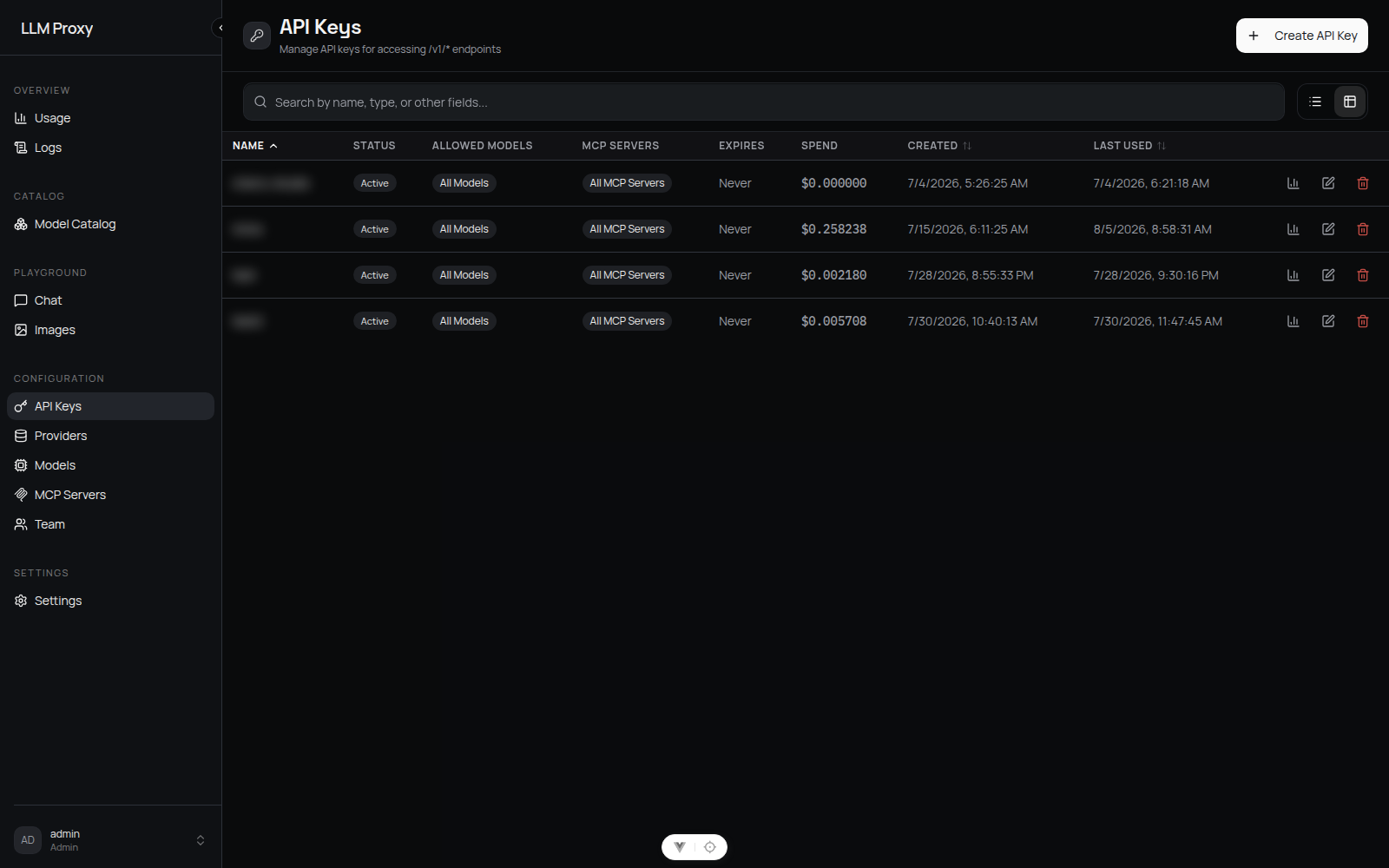
Creating a key
API Keys → Create API Key. Fields:
| Field | Meaning |
|---|---|
| Name | Unique identifier for the key (1–255 chars). It is the name you use in every later operation — use something like prod-backend |
| Allowed models | No selection = all models allowed. An explicitly empty selection = deny all. For non-admins, the selection must be a subset of the user's own model allowlist |
| Allowed MCP servers | No selection = all MCP servers. Admin only — for viewers the proxy silently drops this field (all servers) |
| Expires at | Optional ISO 8601 timestamp; empty = never expires |
| Budget | Optional USD cap with a period: daily, weekly, monthly, or lifetime (no period, counts since the last reset) |
| Budget reset day | 1–31, only for monthly budgets; default is the 1st (UTC) |
| Rate limit (RPM) | Optional requests-per-minute cap. Admin only — setting it as a viewer returns 403 |
The plaintext key (sk- followed by 64 hex characters) is shown once, in a dialog that requires you to acknowledge "I have saved the key". The proxy stores only a bcrypt hash — if you lose it, delete the key and create a new one (there is no rotate endpoint).
Keys are owner-scoped
Even admins see only their own keys in API Keys. To manage another user's access, use Team or ask them to create their own key.
Budgets
Budgets are enforced at request time. When the current window's spend reaches the cap, further requests fail with HTTP 429 and error code budget_exceeded; an admin-configured account budget produces user_budget_exceeded.
Window semantics are UTC calendar-based:
| Period | Window start |
|---|---|
daily | 00:00 UTC |
weekly | Monday 00:00 UTC (ISO week) |
monthly | The configured reset day (default 1st), clamped to the end of shorter months |
lifetime (null) | Since the last manual reset, or since the key was created |
The effective window start is the later of the calendar boundary and the last manual reset. Budget checks fail closed: if spend cannot be read, the request is rejected.
- Reset —
Reseton the key stamps the reset time; the window then counts only usage after that point and a budget-blocked key becomes usable again. Key budgets are self-service: the owner can raise, lower, clear, or reset them at any time. - Spend readout —
GET /api/api-keys/spend/summary(all keys) andGET /api/api-keys/{name}/usage(per key, with a date range). - Account budgets — an admin can also set a per-user cap that spans all of that user's keys. It can only be reset from Team; see Users & Roles.
::: note Reporting range vs enforced window The usage sheet lets you pick a date range for inspection; the budget itself always follows the UTC calendar window described above. :::
Rate limits, expiry, and allowlists
rate_limit_rpmis a sliding-window requests-per-minute limit applied per key.expires_atdisables the key automatically once passed.allowed_modelsandallowed_mcp_serversare checked per request. A model outside the allowlist is rejected before any upstream call. The MCP allowlist is enforced per server, not per tool — once a server is allowed, its tool calls are forwarded verbatim.
Managing keys
| Action | Effect |
|---|---|
Edit (PUT /api/api-keys/{name}) | Update name, allowlists, expiry, budget, rate limit, or flip is_active |
| Disable | is_active: false — requests with the key are rejected immediately |
| Delete | Permanent; usage history is retained |
Rotation
Create the replacement key, update your client, then delete the old key. The old key keeps working until it is disabled or deleted, so rotation needs no downtime.
Related
- Users & Roles — account budgets and model allowlists per user
- Errors & Rate Limits — the exact 429 responses clients see
- Cost Control — a practical budgeting workflow